
Features
Everything you need
to push further.
Editing, animation, text, effects, color, AI, audio and export — the whole editor, one category at a time.
A timeline that keeps up.
Stack as many layers as the edit needs, cut fast on a magnetic main track, and nest anything inside anything.
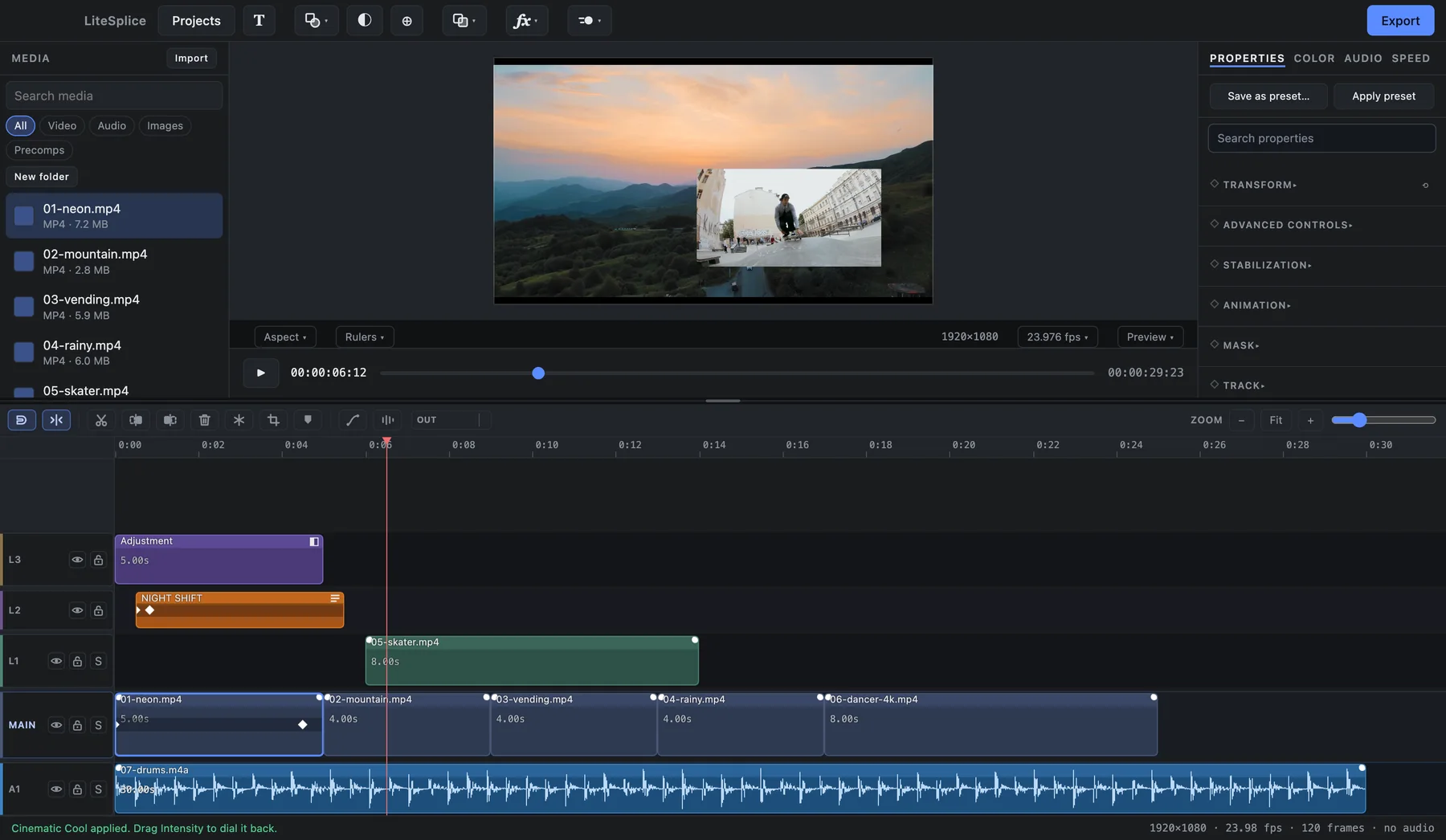
- Unlimited stacked layers
Video, image, text, shape and audio — as many as the edit needs.
- Magnetic main track
Clips close up on the main track; layers above stay where you put them.
- Snapping
Clips, the playhead, markers and keyframes all snap to each other. Hold a key to suspend it.
- Split, delete left / right
Cut at the playhead and clear either side in one press.
- Freeze frame and crop
Hold a moment, or crop a layer without moving it.
- Precompositions
Nest any group of layers — at any depth — and open it back up later.
- Null layers and parenting
Drive a whole group of layers from one controller.
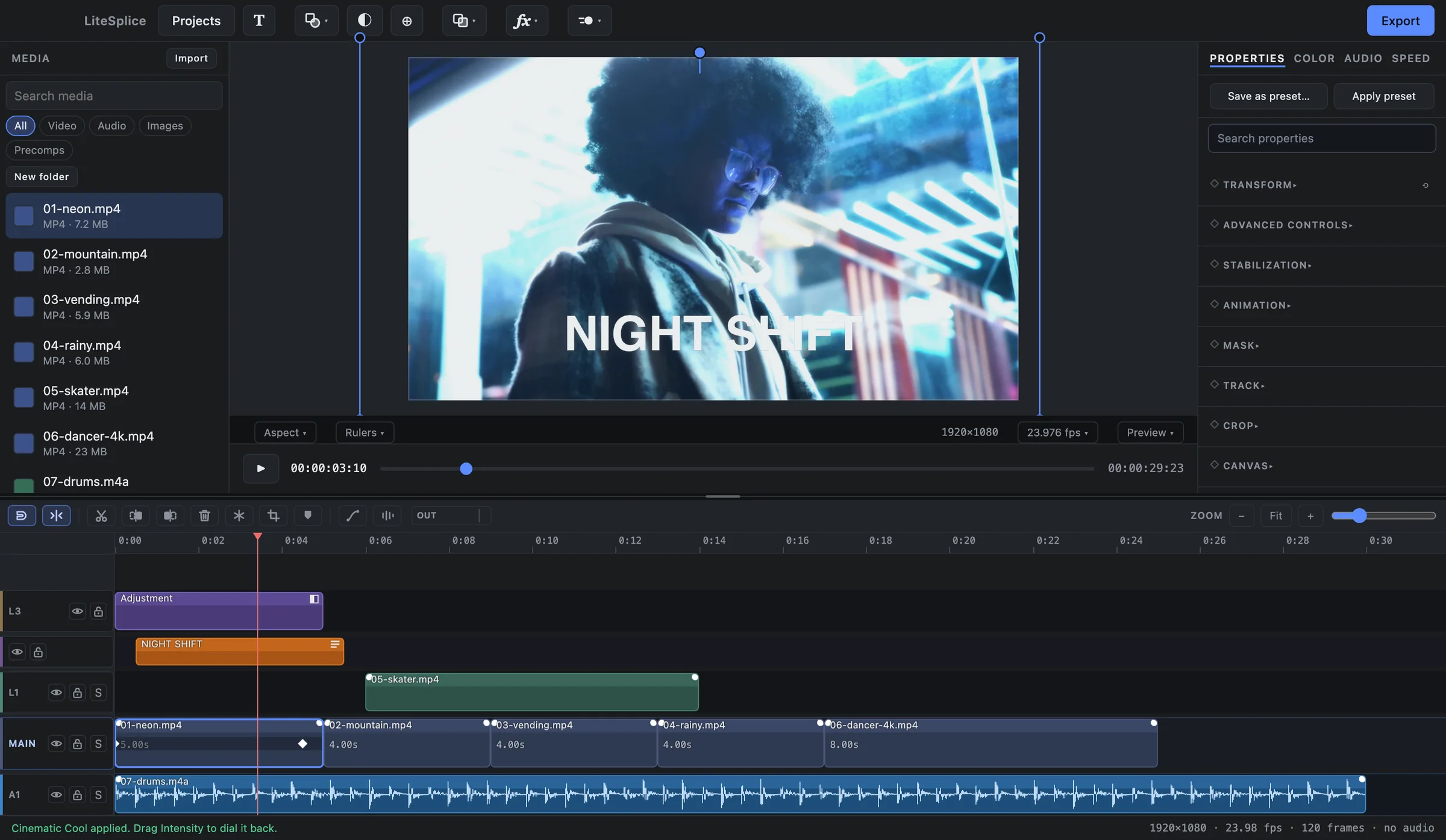
- Adjustment layers
An effect or grade that applies to everything below it. Drag an effect onto the timeline to make one.
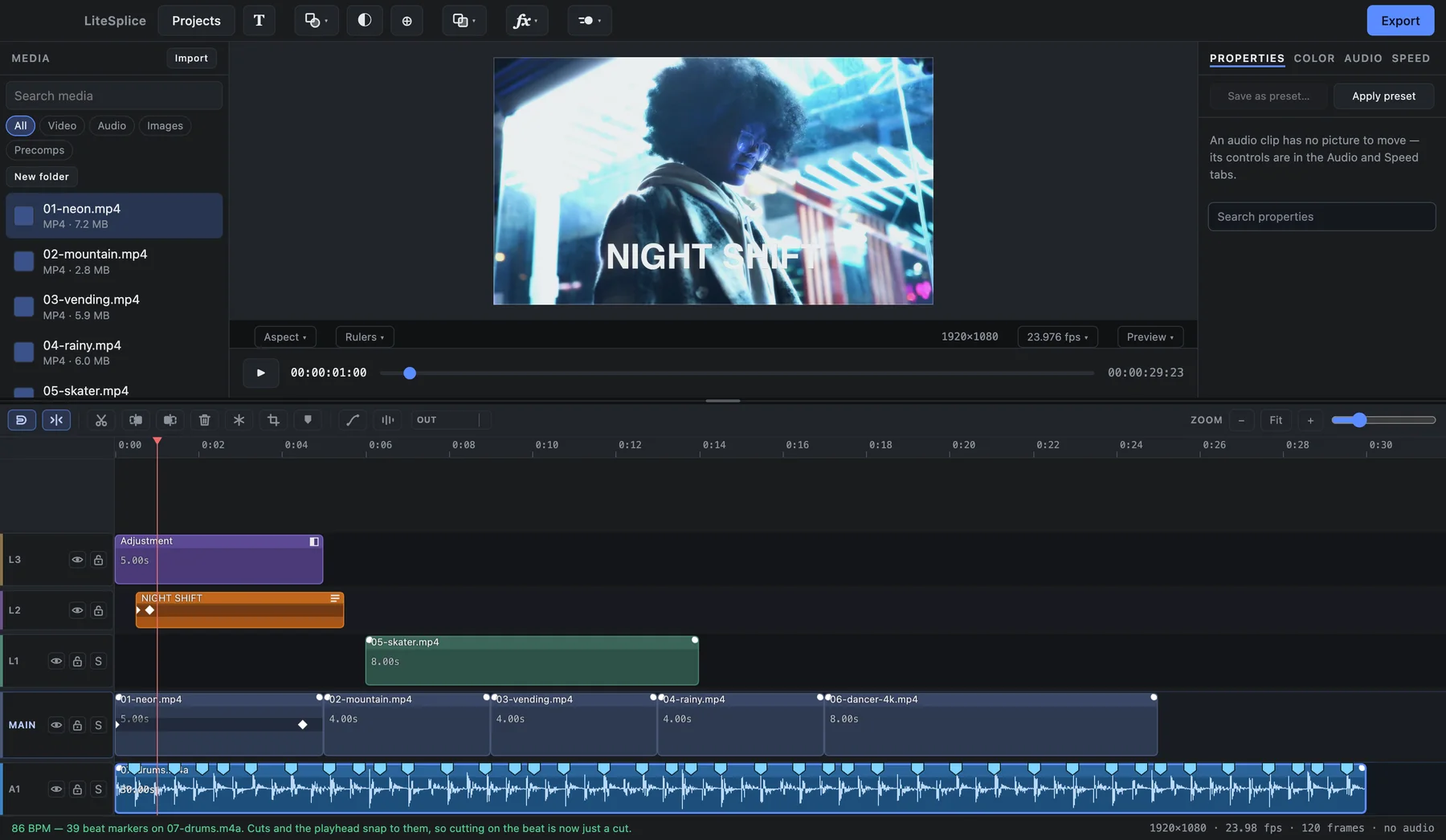
- Markers and beat markers
Mark moments by hand, or let LiteSplice mark every beat.
- Group drag and copy / paste attributes
Move a selection together; copy a look from one clip and paste it onto fifty.
- Speed ramps
Speed is a keyframeable curve, not a single number.
- Shape layers
Rectangle, ellipse, triangle, star — or draw your own with the pen.
- Hide and lock layers
Take a layer out of the picture, or protect it from stray edits.
- Stabilization
Steady a handheld shot — keep the camera move, or lock it off completely.
Every parameter can be animated.
Transforms, effect settings, color, text — if it has a value, it can have keyframes, and every keyframe has a curve you can shape.
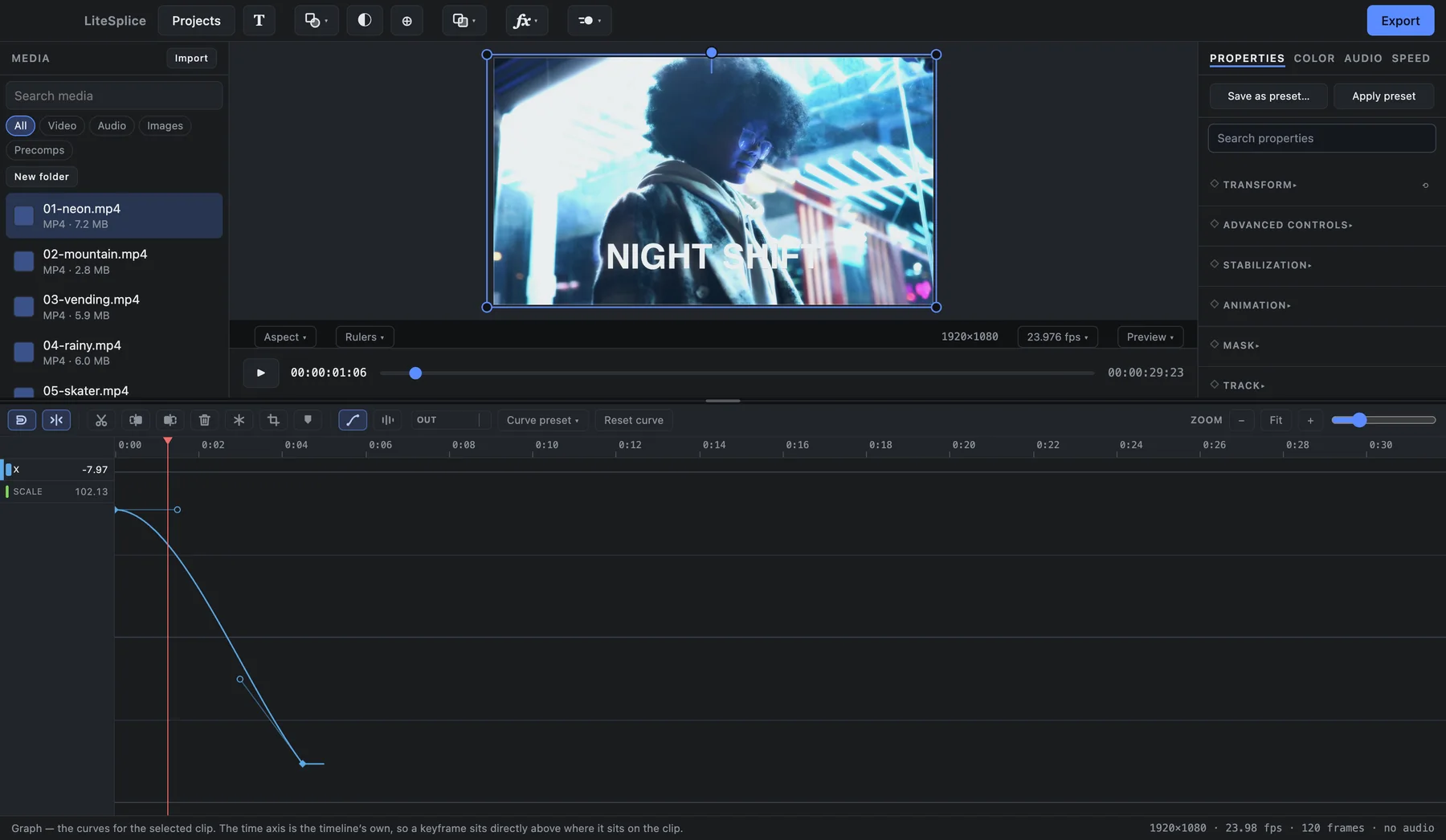
- Keyframes on everything
Not a curated list — every parameter the app has.
- Full graph editor
Bezier curves with handles you can drag, on any keyframe.
- In / Out / Loop animations
Fades, zooms, slides, spins, pops, pulses and wobbles — each an ordinary setting you can change.
- Animate on the beat
Pulses, zooms, shakes, flashes and effect hits on every beat of the music, written as normal keyframes.
- Procedural camera motion
Handheld, drift or impact movement that you control down to the frequency layers.
- Directional motion blur
From animated movement — or measured from the motion inside the footage itself.
- Animation presets
Save an animation once and apply it to fifty clips at a time.
Titles, down to the letter.
Every character can be animated on its own, with the styling a title actually needs.
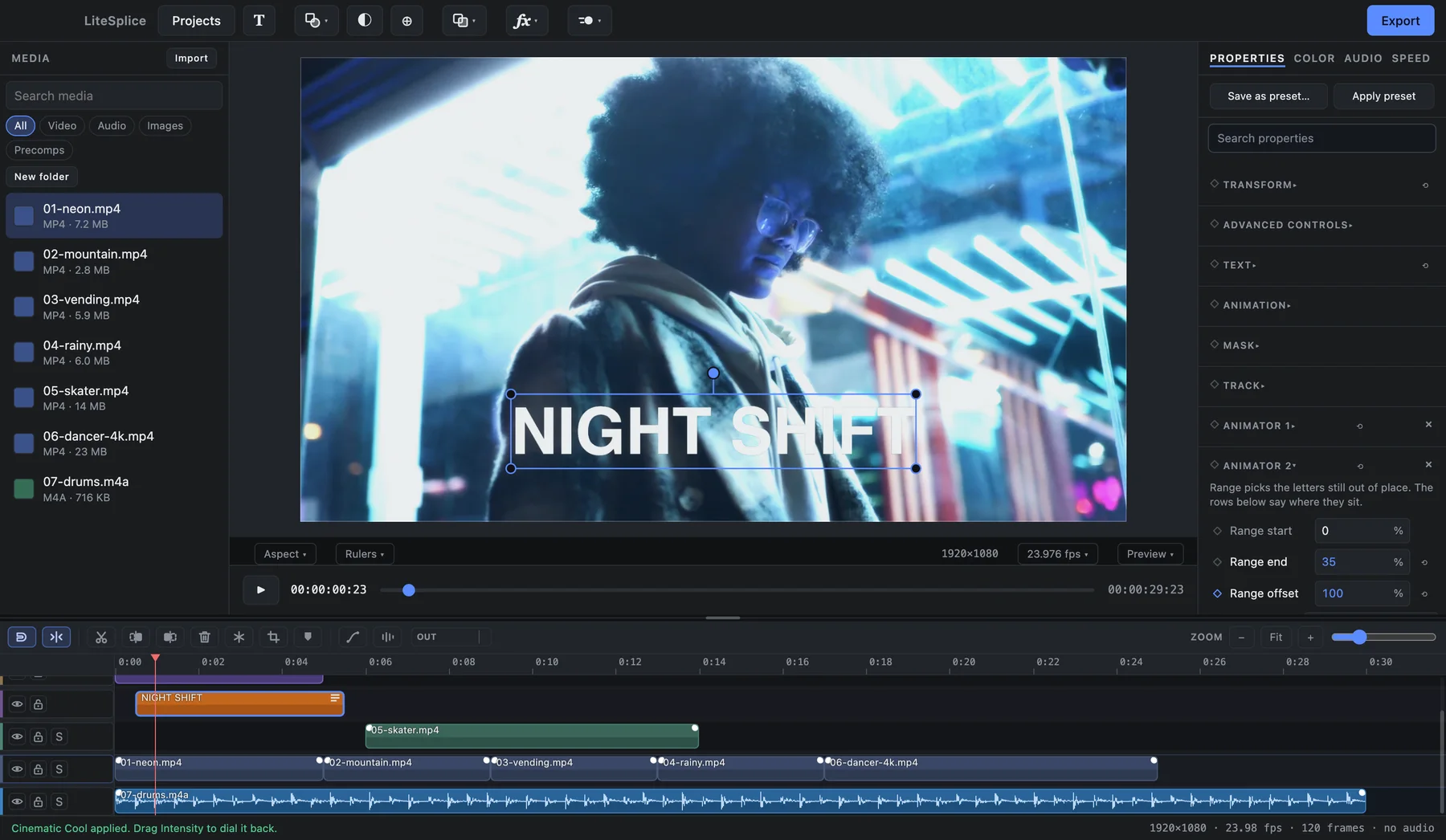
- Per-character animation
After Effects-style animators with a range you can keyframe.
- Letter presets
Typewriter, Fade In Letters, Rise In, Drop In, Pop In, Spin In, Wave — each one editable afterwards.
- Outline and background box
Stroke weight and color, a padded box with rounded corners.
- Wrapping and hollow text
Set a wrap width; turn the fill down to show only the outline.
- Masks on text
Reveal a title through a shape.
- Your own fonts
Import .ttf and .otf files — the font list previews each font in its own typeface.
- SRT / VTT import
A subtitle file becomes ordinary, editable text layers in one step.
About 40 effects. Every one editable.
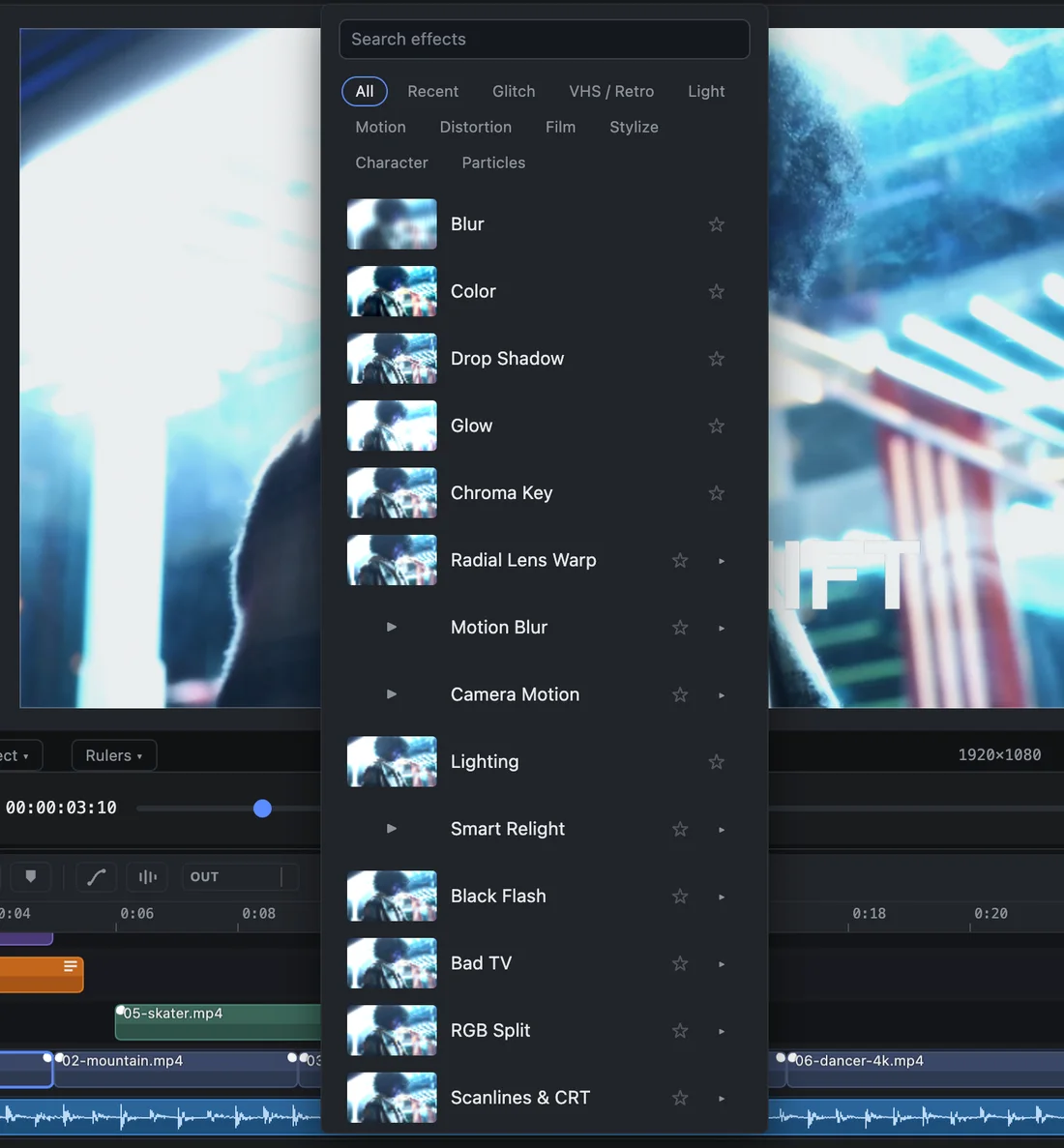
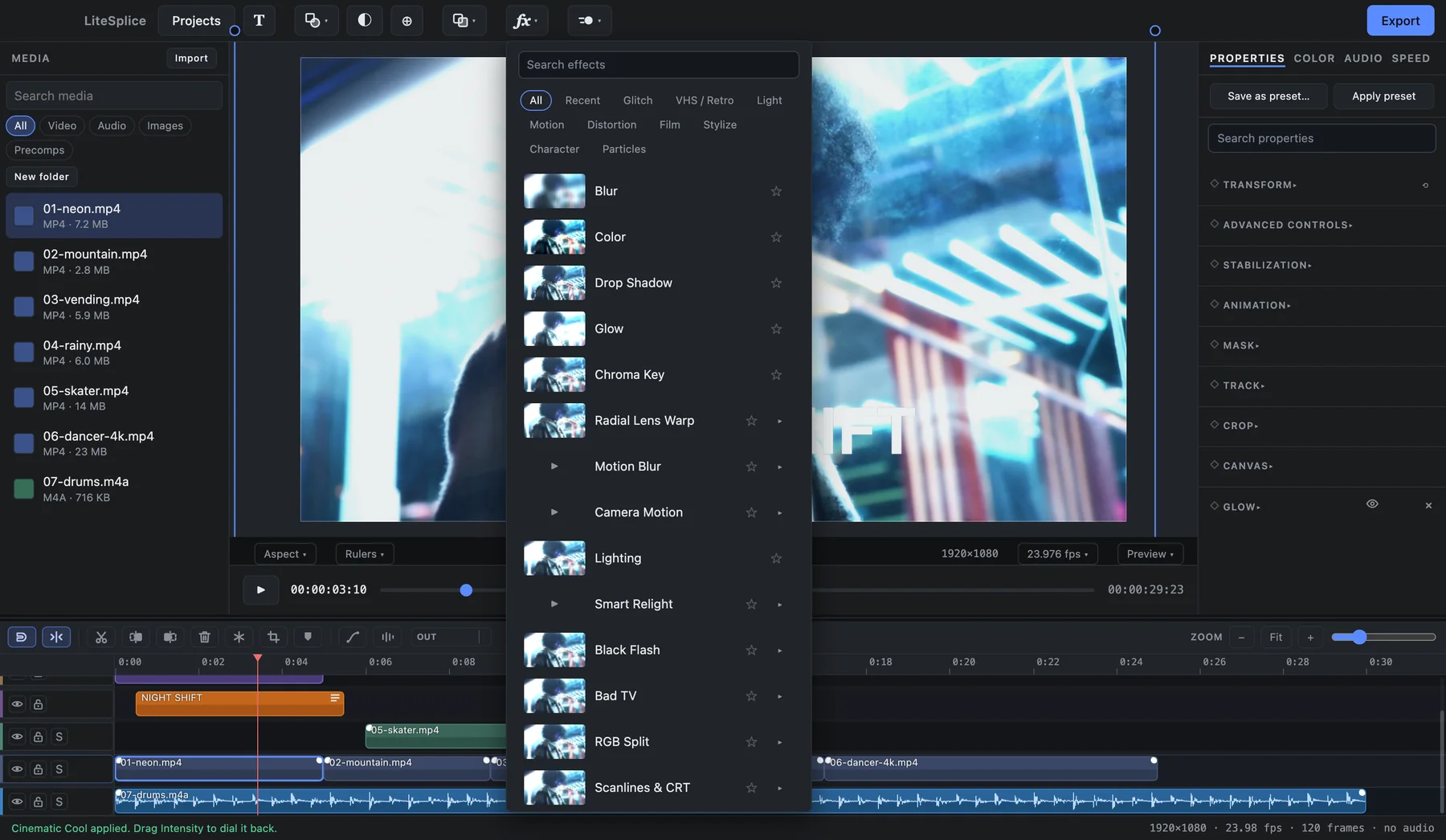
Effects are building blocks you stack, reorder, switch off and keyframe. A browser shows each one on your own clip before you pick it.
Glitch & retro
- Bad TV
- VHS
- CRT / scanlines
- RGB split
- Digital glitch
- Datamosh
- Pixel sort
- ASCII
- Digital matrix
- Compression artifacts
- Frame jitter
- Film damage
Light
- Light leaks
- Lens flare
- Light rays
- Lightning
- Glow
- Bloom
Distortion
- Radial lens warp
- Corner pin
- Mesh warp
- Displacement map
- Elastic warp
Stylize & more
- Outline
- Aura
- Echo
- Particles
- Smoke
- Duotone
- Blur
- Drop shadow
- Chroma key
- Vignette
- Sharpen
12 transitions
- Dissolves
- Dips
- Slides
- Push
- Wipes
- Zoom
- Spin
- Blur dissolve
- An effect browser that shows your clip
Live thumbnails of the selected clip, with favourites, recents and categories.
- Search that ranks exact matches first
Type the name, get the effect — not something that merely contains it.
- Stack, reorder, switch off
Every effect in a stack can be moved or turned off on its own.
A real color tab.
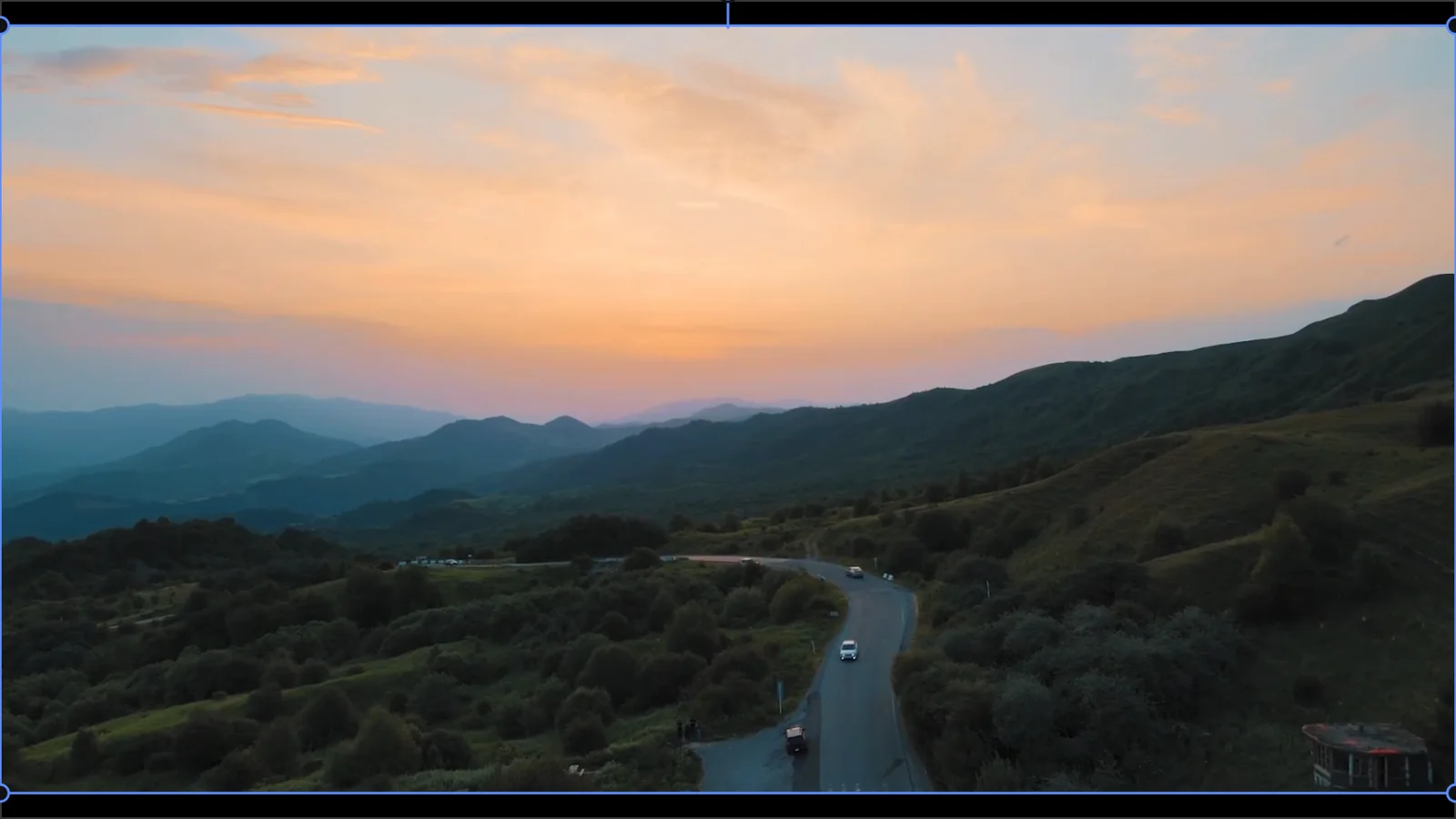
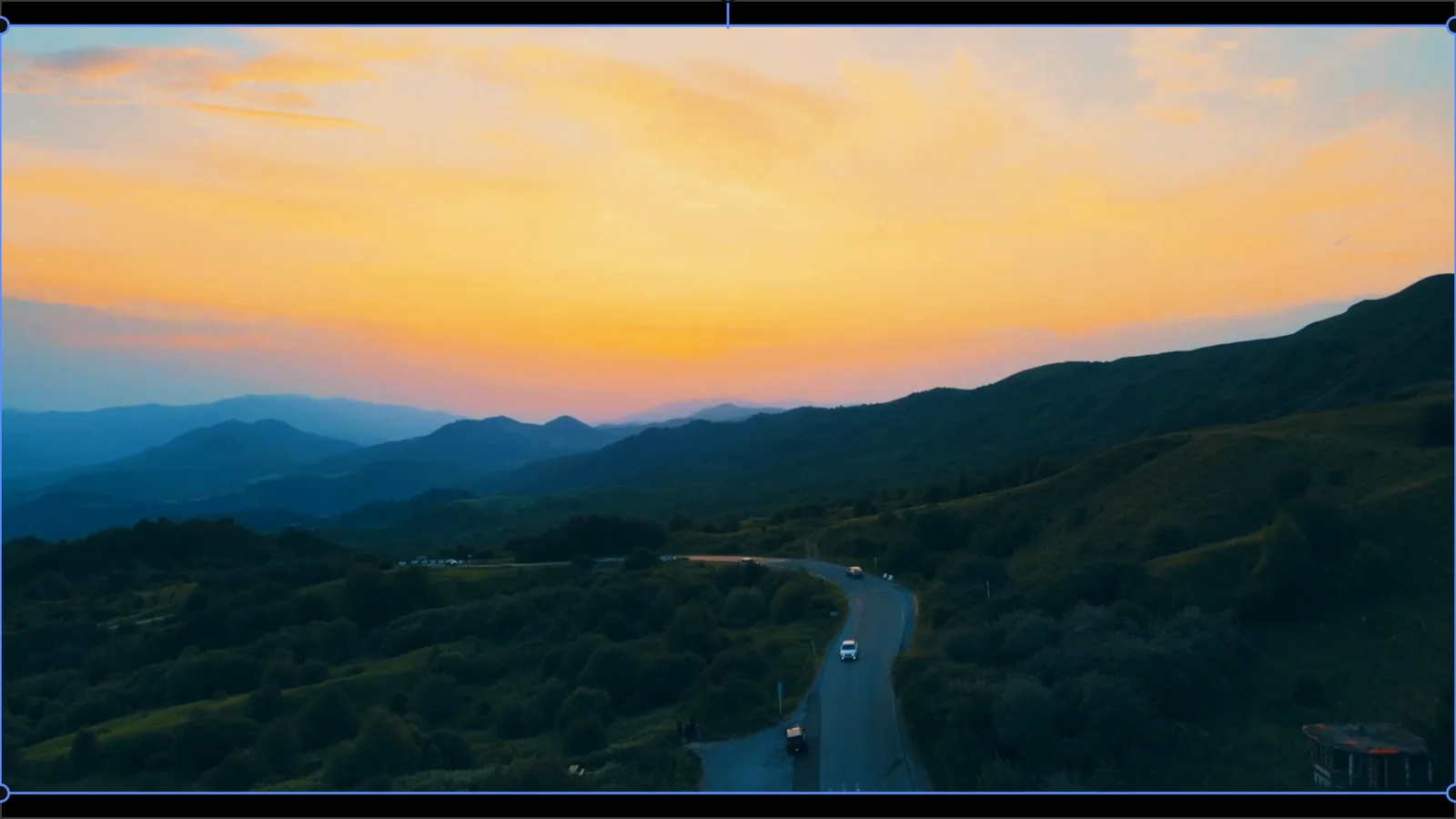
Primary correction, creative looks and the scopes to check them — in a tab of its own.
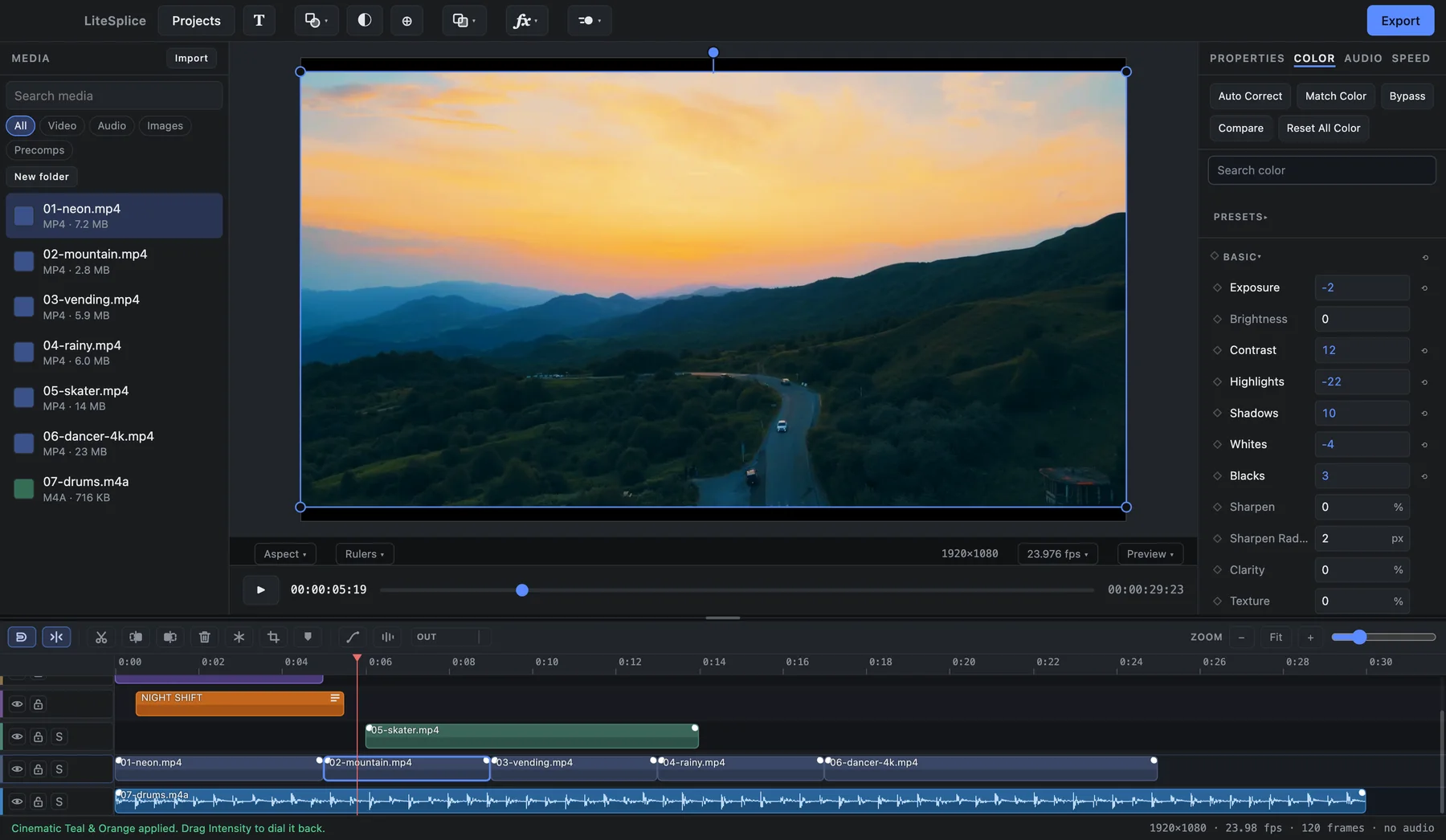
- Exposure, contrast, highlights, shadows
- White balance, HSL, color wheels, curves
- Selective color with an eyedropper
- LUT support
- Auto white balance, auto correct, match color
- Clarity, texture, dehaze
- Grain, bloom, halation
- Color presets with an intensity slider
- Before / after compare
- Scopes: histogram, waveform, RGB parade, vectorscope
Local AI, editable results.
The AI tools run on your computer. Each one leaves ordinary data behind — a mask, keyframes, audio clips — that you can open and change.
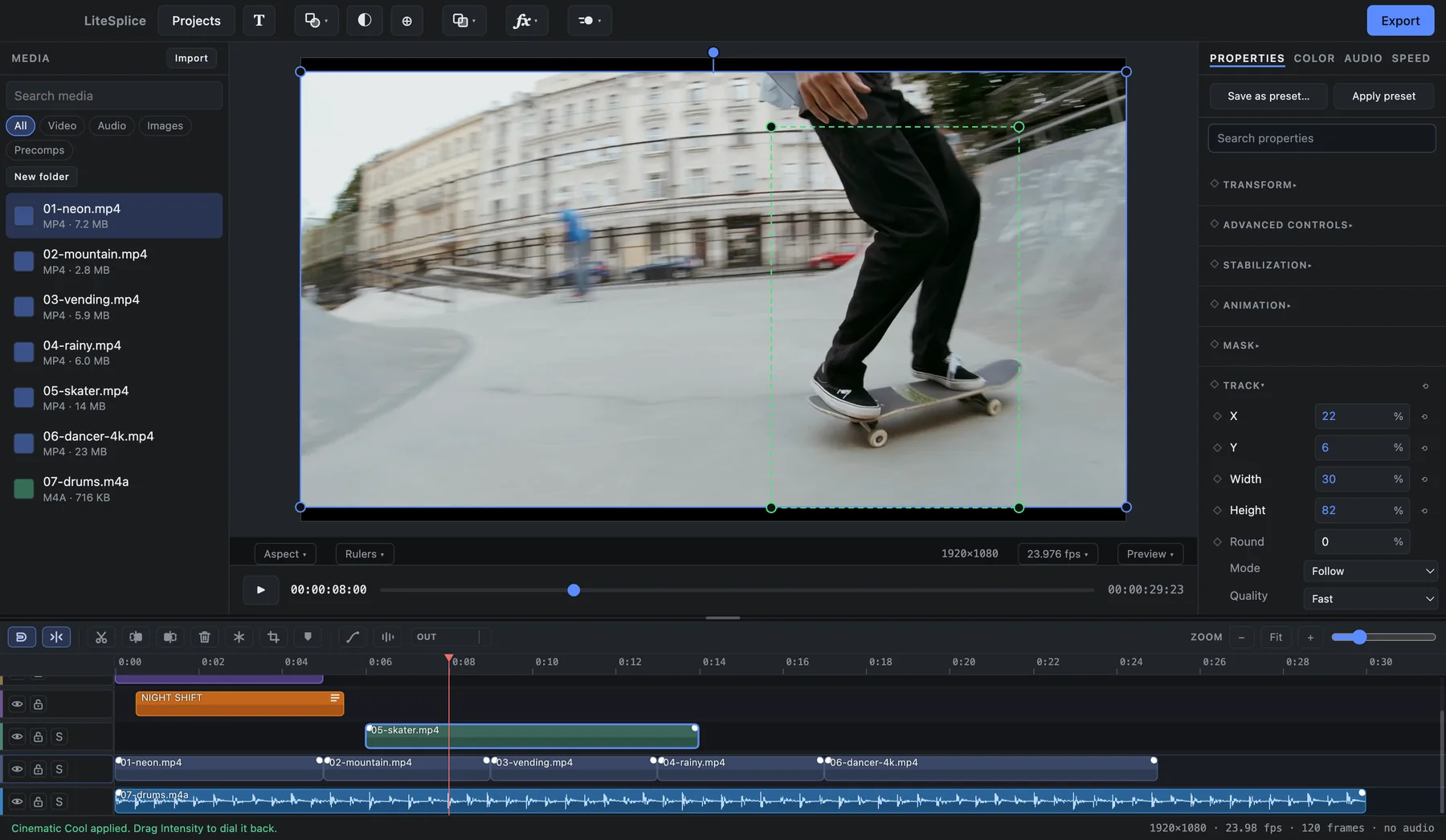
- Smart Brush
Paint over a person or object once; it is cut out through the whole shot, with edge refinement.
- Object and mask tracking
Masks, blurs and titles follow a face or an object.
- Stabilization
Measured in seconds, even on 4K, and it zooms only as far as it needs to.
- Frame interpolation
Smooth slow motion, and 24 → 60fps conversion without slowing the clip.
- Stem separation
Vocals, drums, bass and other — take out just the stems you want.
- Voice isolate / remove
Keep only the voice on a clip, or everything but it.
- Beat detection
A marker on every beat, so cutting to the music becomes an ordinary cut.
- Smart relight
Light a subject after the fact, following them through the shot.
Sound that stays in sync.
Audio is the master clock — the picture follows the sound, so cuts stay tight.
- Multi-track audio
- Volume, fades and waveforms
- Solo and mute
- Pitch-preserving speed changes
- Extract and restore audio
Pull a clip’s sound onto its own track, and put it back.
- Files with several audio tracks
Pick a track, or lay every track on its own lane — made for OBS recordings.
What you see is what you export.
The export is drawn by the same renderer as the preview — and automated tests compare the two pixel for pixel.
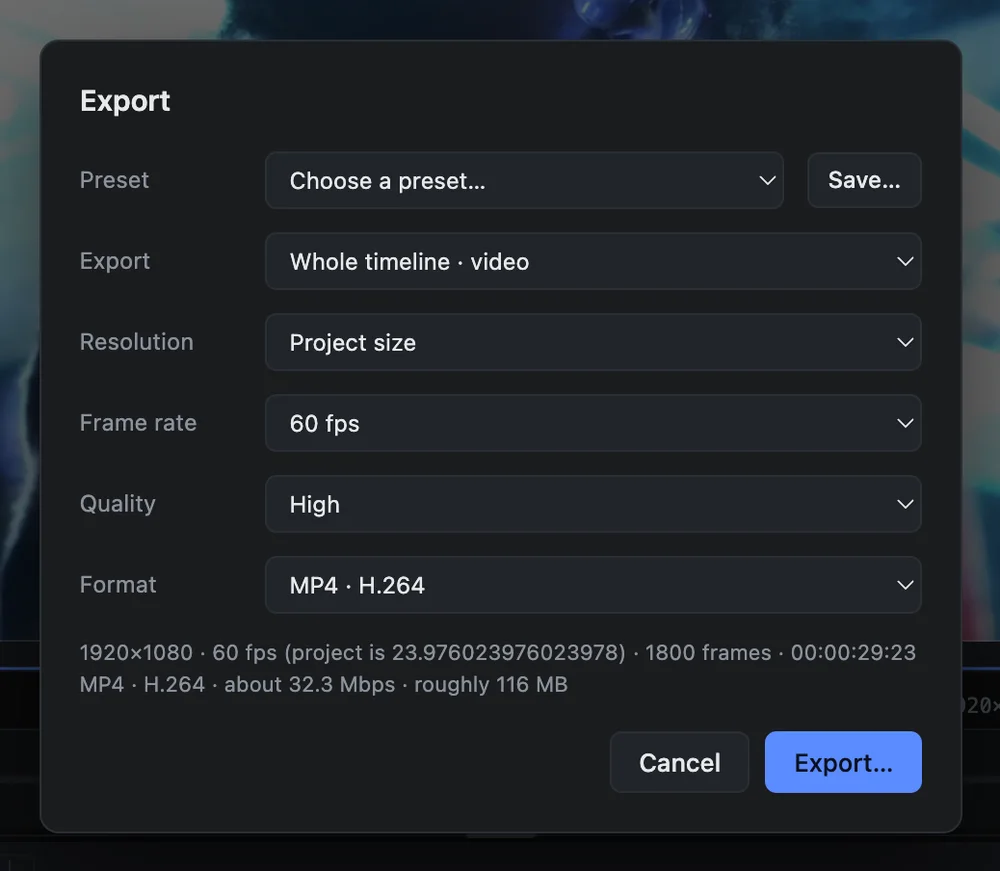
- Up to 4K at 60fps
- H.264 and H.265, hardware encoded
- Presets for YouTube, TikTok, Reels and Shorts
- Save your own export presets
- Still-frame export
PNG or JPEG — made for thumbnails.
- Range rendering
Render a heavy stretch once and it plays back smoothly.
The small things, handled.
Details that save a few seconds a hundred times a day.
- Shortcuts on hover
Every button tells you its name and its shortcut.
- Search everywhere
Effects, animations, transitions, color and properties all have a search box.
- Live autosave and backups
Your work is on disk within seconds, with backups beside the project.
- Reopens where you left off
Zoom, scroll, playhead — back exactly where they were.
- Media relinking
Moved a folder? Point to one file and the rest follow.
- OBS .mkv import
Recordings open straight in, every audio track intact.
- Project home screen
Your projects as cards with thumbnails, search, rename and duplicate.
- Automatic updates
On Windows today; on Mac once the signed build is out.

Powerful when you need it.
Simple when you don't.
Free for Windows today. Coming to Apple Silicon Macs.
Download LiteSplice